
- Free Voice Log Analysis
Your Warehouse Is Already Telling You What's Wrong.
Let's
Listen.
Upload your voice picking logs and get a free, no-commitment analysis that reveals exactly where you’re losing time, throughput, and money — before you spend another dollar replacing hardware.
- No cost, no obligation
- Works with your existing hardware
- Insights in days, not weeks
- No cost, no obligation
- Works with your existing hardware
- Insights in days, not weeks
THE HIDDEN COST
Something's slowing you down.
You just can't see it yet.
Every voice pick, every skipped slot, every dead zone in your WiFi — it’s all sitting in your device logs right now as “dark data.” Most warehouses never look at it. They just live with the slowdowns.
Repeated prompts & misreads
Workers repeating themselves or getting misread by the system, one wasted second at a time — multiplied across every pick, every shift.
Dead zones you can't see
Wasted travel time
Fatigue-driven errors
01 / MISREAD
Repeated prompts & misreads
Workers repeating themselves or getting misread by the system, one wasted second at a time — multiplied across every pick, every shift.
02 / SIGNAL
Dead zones you can't see
Devices dropping connection in the same aisles, over and over, while IT guesses where to look.
03 / SLOTTING
Wasted travel time
04 / FATIGUE
Fatigue-driven errors
Workers staying on physically demanding tasks too long, with no system flagging it before mistakes — or strain — happen.
You don't need to replace your hardware to fix this. You need to see what it's already telling you.
INTRODUCING
Meet the Ascend™ Analyzer
The Ascend Analyzer runs diagnostics on your existing voice device logs and turns them into a clear, actionable game plan — free of charge. No new hardware. No new software to learn. Just a real look at what’s actually happening on your floor.
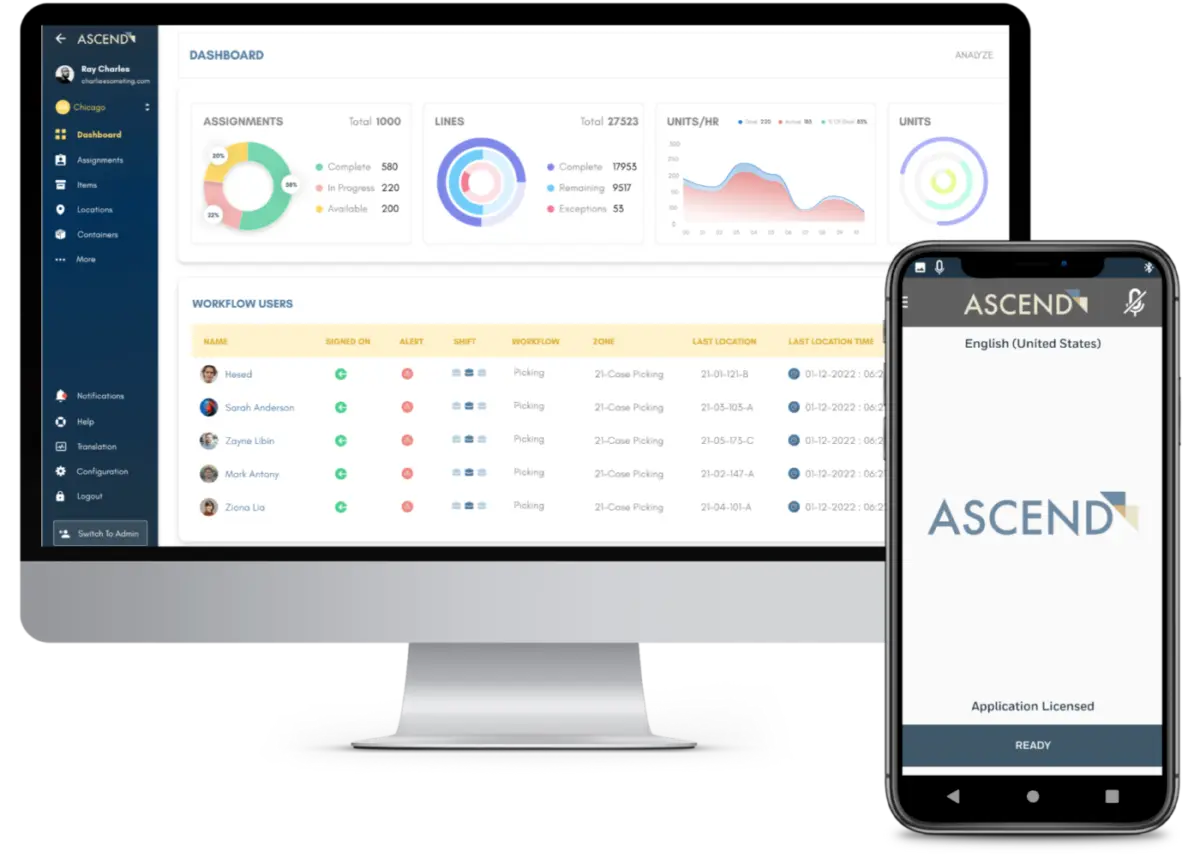
FRICTION
Reduce workflow friction
See travel time anomalies, your most-skipped slots, and exactly when fatigue sets in during a shift.
CONNECTIVITY
Troubleshoot network gaps
Pinpoint device disconnections and dead zones down to the aisle, so IT knows exactly where to focus
VOICE
Enhance voice performance
Diagnose recognition failures like repetition and mistranslation so pickers aren’t repeating themselves or transmitting bad data.
ML
$500/day
*Based on operational inefficiencies uncovered through voice log analysis. Individual results vary — your Analyzer report will reflect your own data.
“We didn’t need new hardware. We needed to see what our own system had been telling us the whole time.”
— Operations Manager, Regional Distribution Center
The Process
From upload to insight in three steps
1
STEP 01
Upload
2
STEP 02
Analyze
3
STEP 03
Review together
- FREE VOICE LOG ANALYSIS
Ready to discover the productivity gains hiding in your logs?
The more logs you upload, the better Ascend can analyze them. Try uploading a variety of logs from different shifts if you’re experiencing workflow or network issues — or upload the logs for an entire shift to get a closer, boots-on-the-ground understanding of your operation.
QUESTIONS
Common questions
Is the Ascend Analyzer really free?
Yes. There’s no cost and no obligation to purchase anything. We built the Analyzer to prove value first.
What data do I need to upload?
Your existing voice device logs — the data your current system is already generating. Nothing new to install.
Will this work with my current voice hardware, including Honeywell?
Yes. The Analyzer works with your existing voice system, including Honeywell devices, so you don’t need to rip and replace anything to get insight.
How long does the analysis take?
You’ll hear back with your complimentary analysis shortly after upload, followed by a walkthrough with our team.
Is my data secure?
Yes — your logs are handled securely and used solely to generate your analysis.
What happens after I get my results?
That’s entirely up to you. Many teams use the findings to fix issues in-house immediately. The Analyzer is also your first step into Work Orchestration, Mountain Leverage’s broader approach to proactive warehouse performance — but that’s a conversation for later, on your terms.
Ready When You Are
You're one upload away from a better next shift.
See what your warehouse has been trying to tell you.